
Flying with American Airlines from Dallas Fort Worth International Airport (DFW)? Knowing which terminal to use, where to check in, how to reach your gate, and how to move around the airport can make your trip much easier.
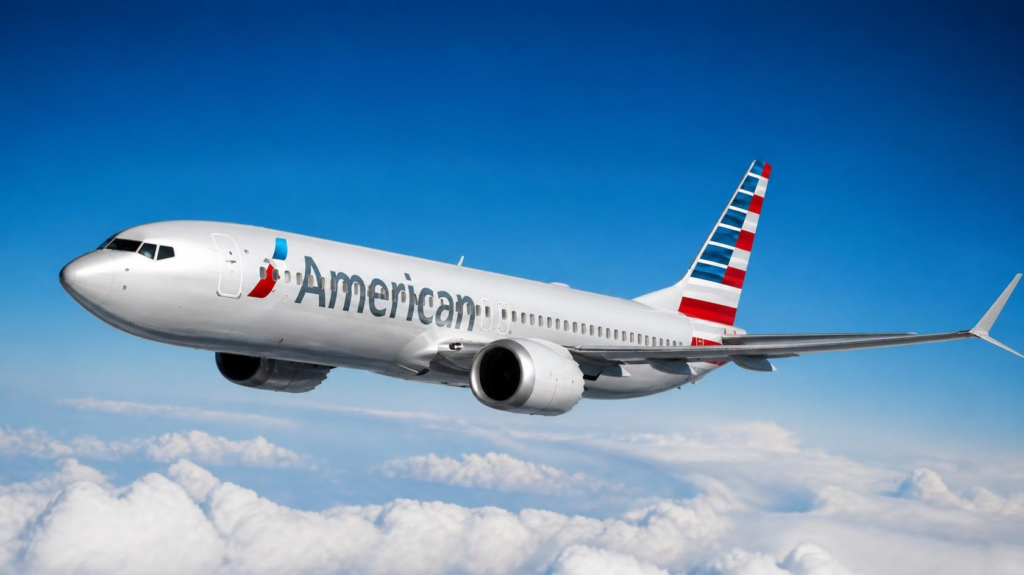
American Airlines is the largest airline at DFW Airport and operates across Terminals A, B, C and D. Because American uses multiple terminals at its major Dallas–Fort Worth hub, the correct terminal depends on your specific flight.
DFW is one of American Airlines’ most important connecting hubs, with a huge network of domestic and international flights. Passengers can find American check-in counters, baggage services, TSA checkpoints, departure gates, lounges, restaurants, shops, and transportation connections across the airport.
Whether you are starting your journey in Dallas, connecting to another American Airlines flight, or traveling internationally, this guide explains the American Airlines DFW Terminal, check-in process, baggage, security, gates, lounges, terminal transfers, parking, transportation, and useful airport tips.
American Airlines DFW Airport Information at a Glance
| Information | Details |
|---|---|
| Airline | American Airlines |
| IATA Code | AA |
| ICAO Code | AAL |
| Airport | Dallas Fort Worth International Airport |
| Airport Code | DFW |
| American Airlines Terminals | Terminals A, B, C and D |
| Domestic Operations | Terminals A, B and C |
| International Operations | Primarily Terminal D |
| Airport Location | Dallas–Fort Worth, Texas |
| Check-In | Depends on flight and terminal |
| Baggage Services | Available |
| TSA Security | Available across DFW terminals |
| Skylink | Available |
| Terminal Link | Available |
| American Airlines Lounges | Admirals Club and Flagship Lounge options |
| Airport Type | International Airport |
| Official Airport | www.dfwairport.com |
American Airlines has a major hub at DFW, so passengers should always check their individual flight information for the assigned terminal and gate.
Which Terminal Does American Airlines Use at DFW?
Unlike some airlines that operate mainly from one DFW terminal, American Airlines uses multiple terminals at Dallas Fort Worth International Airport.
American’s operations are spread across:
- Terminal A
- Terminal B
- Terminal C
- Terminal D
American Airlines has a very large presence at DFW, and the terminal used for your trip can depend on whether you are flying domestically or internationally, your destination, aircraft, and operational requirements.
For this reason, passengers should not assume that every American Airlines flight leaves from Terminal A or Terminal D.
Your American Airlines boarding pass, mobile app, and DFW flight information should be checked before heading to the airport.
American Airlines DFW Terminal Breakdown
Terminal A
Terminal A is one of American Airlines’ major domestic operating areas at DFW.
Passengers may find:
- American Airlines check-in facilities
- Baggage services
- TSA screening
- Departure gates
- Restaurants
- Shops
- Restrooms
- Charging areas
- Passenger assistance services
Terminal B
Terminal B is another important American Airlines terminal at DFW.
It serves a variety of domestic flights and provides passengers with access to check-in, security, gates, dining and other airport facilities.
Terminal C
Terminal C is also heavily used by American Airlines for domestic operations.
Passengers departing from Terminal C can access American Airlines facilities, TSA screening, restaurants, retail stores and multiple departure gates.
Terminal D
Terminal D is DFW’s primary international terminal and is also used by American Airlines for selected international operations.
Passengers traveling internationally may find:
- International check-in
- TSA security
- Passport and border-processing facilities
- International departure gates
- Lounges
- Restaurants
- Retail stores
Because DFW handles many international flights, Terminal D is an important part of American Airlines’ global network.
How Do I Know Which DFW Terminal My American Flight Uses?
The easiest way to confirm your terminal is to check your specific flight before leaving for the airport.
Look at:
- Your American Airlines confirmation.
- Your boarding pass.
- The American Airlines mobile app.
- DFW’s flight-status information.
- Airport departure monitors.
Terminal assignments can change because of operational requirements, aircraft changes, gate availability, or other airport conditions.
If you are driving to DFW, confirming the terminal before leaving home can save considerable time.
American Airlines DFW Terminal Map
The DFW Airport Terminal Map is particularly useful for American Airlines passengers because the airline operates across multiple terminals.
Before your trip, you may want to locate:
- American Airlines check-in counters
- Bag-drop areas
- TSA checkpoints
- Departure gates
- Admirals Clubs
- Restaurants
- Shops
- Restrooms
- Charging stations
- Parking areas
- Skylink stations
- Terminal Link stops
- Ground transportation
DFW’s airport map can help passengers understand the layout before arriving.
American Airlines Check-In at DFW
American Airlines passengers can check in through the American Airlines website or mobile app before arriving at DFW.
Online check-in can save time because passengers who already have their boarding pass may be able to proceed toward security when they do not need airport check-in services.
If you have checked baggage, however, you still need to complete the baggage-drop process.
At DFW, American Airlines passengers may use:
- Check-in counters
- Self-service options
- Bag-drop facilities
- Mobile boarding passes
- Airport assistance desks
Your exact check-in location depends on your flight and assigned terminal.
What Is the American Airlines Departure Process at DFW?
Your journey through DFW will generally follow this sequence:
Arrive at DFW → Find American Terminal → Check In → Drop Bags → TSA → Find Gate → Board
After checking in:
- Confirm your departure terminal.
- Complete baggage drop if required.
- Proceed through TSA security.
- Check your boarding pass for the gate.
- Follow airport signs to the departure gate.
- Monitor the flight information screens.
- Remain near the gate during the boarding process.
Because DFW is a very large airport, don’t assume that reaching the correct terminal means you are immediately next to your gate.
Allow enough time for walking and terminal transportation.
American Airlines DFW Security Checkpoints
American Airlines passengers must pass through TSA security before reaching their departure gate.
DFW has security checkpoints across its terminals, and available checkpoints can vary according to airport operations.
Your security experience can depend on:
- Time of day
- Passenger volume
- Holidays
- Staffing
- Checked baggage
- TSA PreCheck eligibility
- Airport operating conditions
During busy travel periods, give yourself additional time rather than planning your arrival around the minimum possible security wait.
How Early Should I Arrive at DFW for American Airlines?
For a smoother experience, American Airlines passengers should give themselves plenty of time before departure.
A reasonable airport schedule should include time for:
Driving → Parking → Terminal → Check-In → Bag Drop → TSA → Walking → Gate → Boarding
You may want extra time when traveling during:
- Holiday periods
- Summer travel
- Friday and Sunday peaks
- Early-morning departures
- International travel
- Severe weather
- Busy TSA periods
- Flights requiring checked baggage
International travelers should generally allow more time than passengers traveling domestically because document checks and other airport procedures may take longer.
American Airlines Arrivals at DFW
American Airlines arrivals can take place at different DFW terminals depending on the flight.
After landing:
- Follow the signs toward baggage claim.
- Check the airport monitors for your baggage carousel.
- Collect your checked luggage.
- Follow signs toward transportation.
- Use Skylink or Terminal Link if another terminal is required.
If you are meeting an American Airlines passenger, check the flight status before driving to DFW because arrival gates and baggage locations can change.
For international arrivals, passengers must complete the applicable arrival and immigration procedures before continuing to baggage claim and ground transportation.
American Airlines Baggage at DFW
If you are checking luggage with American Airlines, make sure your bags are tagged to the correct destination before leaving the baggage counter.
After landing, check the airport monitors for the assigned baggage carousel.
If your bag does not arrive:
- Keep your baggage receipt.
- Confirm the assigned carousel.
- Check nearby baggage areas.
- Contact American Airlines baggage services.
- Keep your baggage claim information.
- Follow American Airlines’ instructions for delayed or damaged baggage.
Items left on an aircraft should generally be reported to the airline rather than assuming DFW’s general Lost and Found will handle the issue.
American Airlines DFW Terminal Services
American Airlines passengers have access to a wide range of facilities across DFW.
| Service | Available | Details |
|---|---|---|
| American Airlines Check-In | Yes | Available according to flight and terminal |
| Baggage Services | Yes | Checked and arrival baggage facilities |
| TSA Security | Yes | Multiple airport checkpoints |
| Restaurants | Yes | Available across DFW terminals |
| Shopping | Yes | Retail and travel essentials |
| Free Wi-Fi | Yes | Available throughout DFW |
| Charging | Yes | Charging facilities available |
| Restrooms | Yes | Located throughout terminals |
| Accessibility | Yes | Accessible airport facilities |
| Skylink | Yes | Airside terminal transportation |
| Terminal Link | Yes | Landside terminal transportation |
| Parking | Yes | Multiple DFW parking choices |
| Ground Transportation | Yes | Taxi, rideshare, rental cars and transit |
| American Airlines Lounges | Yes | Admirals Club and other eligible lounges |
American Airlines Lounges at DFW
American Airlines operates several lounge facilities at DFW, reflecting the airport’s role as the airline’s major hub.
Depending on your terminal, ticket, membership, elite status and eligibility, you may have access to an Admirals Club or other eligible American Airlines lounge facilities.
Lounge services can include:
- Comfortable seating
- Wi-Fi
- Work areas
- Snacks
- Beverages
- Charging stations
- Flight information
- Business facilities
Lounge access rules vary by membership, cabin class, status and other eligibility requirements.
Before traveling, check American Airlines’ current lounge information to confirm whether you qualify for access at your departure terminal.
Food and Restaurants Near American Airlines Gates
DFW offers a large variety of dining choices throughout its terminals.
Passengers can find options such as:
- Coffee shops
- Breakfast
- Fast food
- Sit-down restaurants
- Snacks
- Grab-and-go meals
- Drinks
- Travel food
Because American Airlines uses multiple terminals, the available restaurants depend on where your flight departs.
If you have a long connection, you may have additional dining choices in other terminals because DFW’s Skylink connects the terminals after security.
Shopping at DFW for American Airlines Passengers
Travelers can find a variety of stores throughout DFW.
Common shopping categories include:
- Travel essentials
- Snacks
- Electronics accessories
- Gifts
- Personal items
- Books and magazines
- Last-minute travel supplies
Store locations and opening hours can change, so passengers looking for a specific retailer should check DFW’s current airport information.
YOUR AMERICAN AIRLINES JOURNEY AT DFW
WHERE DO I GO FIRST?
Check your assigned American Airlines terminal.
American operates from Terminals A, B, C and D, so confirm your flight’s terminal before driving to DFW.
WHAT SHOULD I DO AFTER ARRIVING?
Complete check-in and baggage drop.
If you already checked in online, follow the signs for baggage drop if you have checked luggage.
WHERE DO I GO FOR TSA?
Proceed to the security checkpoint serving your departure terminal.
Keep your boarding pass and identification ready.
HOW DO I FIND MY GATE?
Check your American Airlines boarding pass and DFW airport monitors.
Gate assignments can change, so verify the gate after security.
HOW MUCH TIME DO I NEED?
Allow enough time for parking, check-in, baggage, TSA screening, walking and boarding.
International passengers should allow additional time.
WHERE CAN I EAT?
Each DFW terminal offers dining options, including restaurants, coffee shops and grab-and-go food.
WHAT IF MY BAG IS MISSING?
Contact American Airlines baggage services and keep your baggage receipt and flight information available.
WHAT IF MY FLIGHT IS DELAYED?
Check the American Airlines app and DFW flight monitors for updated departure information.
If your itinerary changes, follow American Airlines’ rebooking instructions.
WHAT IF MY NEXT FLIGHT LEAVES FROM ANOTHER TERMINAL?
If you are already inside the secure area, Skylink is generally the easiest way to move between DFW terminals.
American Airlines DFW Skylink
DFW’s Skylink is particularly useful for American Airlines passengers because the airline operates from multiple terminals.
Skylink connects the airport’s passenger terminals inside the secure area.
It can be useful when:
- Your connecting flight departs from another terminal.
- Your gate changes.
- You need to reach another American Airlines gate.
- You are connecting between domestic flights.
- You are transferring between domestic and international services.
Since Skylink operates airside, passengers who have already cleared security can use it to move between terminals without going through TSA again at each terminal.
Terminal Link at DFW Airport
If you are outside the secure area, Terminal Link provides landside transportation between DFW terminals.
The two systems serve different purposes:
| Transportation | Location | Main Purpose |
|---|---|---|
| Skylink | Inside security | Connecting between terminals airside |
| Terminal Link | Outside security | Moving between terminals landside |
Always follow DFW’s current signs when transferring between terminals.
American Airlines DFW Parking
DFW provides several parking choices for passengers traveling with American Airlines.
Options can include:
- Terminal parking
- Express parking
- Remote parking
- Other airport parking facilities
If you are driving to the airport, confirm your American Airlines terminal before choosing where to park.
Passengers being dropped off should follow the airport’s current signs for the appropriate terminal.
During busy travel periods, allow additional time for parking and transportation to the terminal.
Transportation Options at DFW
American Airlines passengers arriving at DFW can use several transportation options.
Rental Cars
DFW provides transportation to its rental-car facilities.
Taxi
Authorized taxis operate from designated airport pickup areas.
Rideshare
Uber and Lyft use designated DFW pickup locations. Follow the airport signs for the latest pickup instructions.
Public Transportation
DFW has access to regional transportation options serving the Dallas–Fort Worth metropolitan area.
Skylink
Use Skylink when you are already inside the secure airport area and need another terminal.
Terminal Link
Use Terminal Link when you need to move between terminals while outside security.
Accessibility for American Airlines Passengers
DFW provides accessibility features throughout its terminals.
Passengers can find facilities such as:
- Accessible restrooms
- Elevators
- Accessible transportation
- Wheelchair assistance
- Accessible parking
- Passenger assistance areas
- Accessible terminal connections
Passengers who require specific airline assistance should contact American Airlines before traveling so appropriate arrangements can be made.
American Airlines DFW International Flights
DFW is a major international gateway for American Airlines.
International passengers should check their flight information carefully because international operations may involve different terminal, check-in, security and document requirements.
Before traveling internationally:
- Check your passport validity.
- Confirm visa requirements.
- Review your American Airlines booking.
- Arrive earlier than you would for a simple domestic trip.
- Confirm your terminal.
- Check baggage requirements.
- Monitor your gate after security.
Terminal D is an important international operating area at DFW, but the specific terminal for an individual flight should always be confirmed before travel.
Connecting Between American Airlines Flights at DFW
DFW is one of the largest connecting hubs in the American Airlines network.
If you have an American Airlines connection:
- Check your next flight’s terminal and gate.
- Follow signs for the appropriate connection.
- Use Skylink when another terminal is required.
- Check the airport monitors again after reaching the next terminal.
- Allow enough time for walking and transportation.
A connection may require moving from Terminal A to B, B to C, C to D, or another combination.
Because all five DFW terminals are connected, passengers generally have several transportation options for moving around the airport.
American Airlines DFW Travel Tips
- Check your terminal before leaving home.
- Remember that American Airlines uses Terminals A, B, C and D.
- Check in through the American Airlines app when possible.
- Arrive early enough for parking, baggage and TSA.
- Don’t rely on an old gate number.
- Check DFW monitors after security.
- Use Skylink for airside terminal transfers.
- Use Terminal Link when outside security.
- Keep your baggage receipt until your trip is complete.
- International passengers should allow additional time.
- Check lounge eligibility before relying on lounge access.
- During peak travel periods, build extra time into your schedule.
- Follow American Airlines and DFW flight-status updates for changes.
American Airlines at DFW – Current Information
American Airlines has a particularly large operation at Dallas Fort Worth International Airport because DFW serves as one of the airline’s principal hubs.
The key point for travelers is that there is no single American Airlines terminal at DFW.
American Airlines operates across:
Terminal A + Terminal B + Terminal C + Terminal D
Your specific terminal and gate can depend on the flight and operating conditions.
Therefore, passengers should always confirm their individual flight information before traveling to DFW.
Frequently Asked Questions
American Airlines operates from Terminals A, B, C and D at Dallas Fort Worth International Airport. Your exact terminal depends on your specific flight.
Yes. American Airlines operates many flights from Terminal A, but it is not the airline’s only terminal at DFW.
Yes. American Airlines operates flights from Terminal B as part of its large DFW hub operation.
Yes. Terminal C is another major American Airlines operating terminal at DFW.
Yes. American Airlines uses Terminal D for selected operations, including international services.
Check your American Airlines boarding pass, mobile app, flight confirmation, or DFW flight-status information before leaving for the airport.
Give yourself enough time for parking, check-in, baggage, TSA screening, walking and boarding. International travelers should generally allow additional time.
Yes. American Airlines provides online and mobile check-in options. If you have checked baggage, you still need to complete the baggage-drop process at the airport.
Yes. American Airlines operates lounge facilities at DFW, including Admirals Club locations. Access depends on your ticket, membership, status and other eligibility requirements.
Passengers already inside the secure area can generally use Skylink to travel between terminals. If you are outside security, use the airport’s landside transportation options.
Check the latest information on the American Airlines app and DFW airport monitors. Follow the new gate assignment and allow enough time to reach it.
Yes. DFW provides free Wi-Fi for passengers throughout the airport.
Check the baggage carousel information first. If your luggage does not arrive, contact American Airlines baggage services and keep your baggage receipt and flight details available.
Terminal D is DFW’s main international terminal, but passengers should always verify the terminal for their individual flight because airport operations can vary.
Final Thoughts
Flying American Airlines from Dallas Fort Worth International Airport is easier when you know that American operates across multiple DFW terminals rather than from one dedicated terminal.
For most passengers, the most important step is to confirm the terminal and gate for the specific flight before arriving.
Your airport journey will generally look like:
DFW → American Airlines Terminal → Check-In → Bag Drop → TSA → Gate → Boarding
If you need to change terminals after clearing security, Skylink makes moving around DFW much easier. For passengers outside the secure area, Terminal Link provides another option.
Because DFW is one of American Airlines’ most important hubs, flight and gate assignments can change. Checking the American Airlines app and DFW airport information on the day of travel is the best way to avoid unnecessary delays.