
Checking your ATL Flight Status before leaving for the airport can help you avoid unnecessary waiting and prepare for changes to your travel plans. Hartsfield-Jackson Atlanta International Airport (ATL) provides an official flight-search tool that allows travelers to look up arrivals and departures using a flight number, airline, origin city, destination city, or airport code.
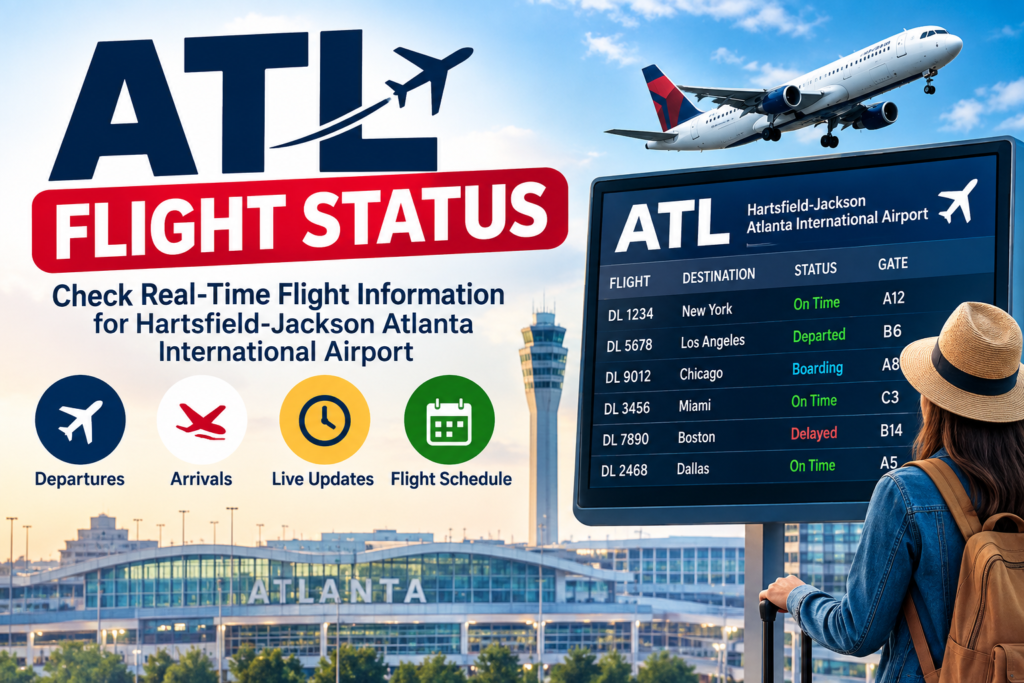
Whether you are flying from Atlanta, arriving at ATL, picking up a passenger, or connecting to another flight, checking the latest flight information is an important part of your airport planning.
A flight’s scheduled time is not necessarily its actual operating time. Departure and arrival times can change because of weather, air-traffic conditions, aircraft availability, airport operations, or other circumstances. For the most accurate information, ATL recommends confirming flight updates, including gate assignments and schedule changes, with the operating airline.
ATL Flight Status – Quick Information
| Information | Details |
|---|---|
| Airport Name | Hartsfield-Jackson Atlanta International Airport |
| Airport Code | ATL |
| Location | Atlanta, Georgia, United States |
| Flight Information | Arrivals and Departures |
| ATL Flight Search | Search by flight number, airline, origin or destination |
| Airport Type | Domestic and International |
| Domestic Terminal | Domestic Terminal |
| International Terminal | Maynard H. Jackson Jr. International Terminal |
| Concourses | T, A, B, C, D, E and F |
| Flight Status Information | Updated regularly |
| Official Airport Website | www.atl.com |
| Airport Phone | 1-800-897-1910 |
What Is ATL Flight Status?
ATL Flight Status refers to the current operating information for a flight arriving at or departing from Hartsfield-Jackson Atlanta International Airport.
A flight-status search can help you determine whether a flight is:
- On time
- Delayed
- Cancelled
- Departed
- Arrived
- Boarding
- Scheduled
- Operating with a changed gate or schedule
The exact information displayed depends on the flight and the available operational data.
ATL’s official flight-search system is designed to let passengers quickly check arrivals and departures before traveling to the airport.
How to Check ATL Flight Status
Checking an Atlanta Airport flight status is straightforward.
Step 1: Find Your Flight Number
Look at your airline confirmation, boarding pass, reservation, or travel itinerary.
For example, an airline flight number may look like:
- DL123
- AA456
- UA789
- WN1234
- BA227
- KL622
The airline code identifies the carrier, while the number identifies the specific flight.
Step 2: Open the ATL Flight Search
Go to the ATL flight-search page and select whether you want to view Arrivals or Departures.
ATL allows travelers to search using several types of information.
Step 3: Enter the Available Information
Depending on what you know, you can search by:
- Flight number
- Airline
- Origin city
- Destination city
- Airport code
Step 4: Review the Flight Information
After finding your flight, check the available details such as:
- Scheduled time
- Current operating information
- Arrival or departure status
- Terminal information
- Gate information
- Delay information
- Other available updates
Step 5: Confirm With Your Airline
Flight information can change. ATL specifically advises travelers to confirm gate assignments and schedule changes directly with their airline.
ATL Arrivals – Atlanta Airport Arrivals
ATL Arrivals refers to flights arriving at Hartsfield-Jackson Atlanta International Airport.
If you are picking someone up from ATL, checking the arrival status before leaving for the airport can help you avoid arriving too early or waiting unnecessarily.
The ATL flight-search system allows passengers and visitors to search arrival information by flight number, airline, or origin city.
What to Check for an ATL Arrival
When tracking an arriving flight, look for:
| Information | Why It Matters |
|---|---|
| Flight Number | Identifies the specific flight |
| Airline | Identifies the operating carrier |
| Origin | Shows where the flight is coming from |
| Scheduled Arrival | Original planned arrival time |
| Current Status | Shows the latest available operating information |
| Terminal | Helps you plan where to meet the passenger |
| Gate | Helps identify the aircraft’s arrival location |
| Baggage Claim | Important after the passenger leaves the aircraft |
Keep in mind that an aircraft’s arrival at the gate does not necessarily mean the passenger will immediately be ready for pickup. Passengers may still need to walk to baggage claim, collect checked luggage, clear immigration and customs when applicable, or reach the designated pickup area.
ATL Departures – Atlanta Airport Departures
ATL Departures refers to flights leaving Hartsfield-Jackson Atlanta International Airport.
If you are flying from ATL, check your flight status before traveling to the airport.
The official ATL flight-search system allows travelers to search departures by flight number, airline, or destination city.
What to Check Before an ATL Departure
Before leaving home, check:
- Flight number
- Departure time
- Current flight status
- Terminal
- Gate
- Airline check-in requirements
- Security conditions
- Parking or transportation
- Any airline notifications
Your gate can change after you arrive at the airport, so continue monitoring your airline’s updates.
ATL Flight Tracker
The term ATL Flight Tracker is commonly used when travelers want to follow a specific flight’s operating status.
The official ATL flight-search page allows you to enter a flight number such as an airline code followed by the flight number. ATL also supports searches by airline, origin city, and destination city.
For example, if your itinerary shows a flight number such as DL1234, enter the airline code and flight number into the ATL flight-search system.
What Information Can an ATL Flight Tracker Provide?
Depending on the flight and current available data, you may be able to find:
- Flight identification
- Airline
- Arrival or departure status
- Scheduled time
- Current timing information
- Terminal information
- Gate information
- Delay or cancellation information
For operational decisions, always compare the airport information with the airline’s own notification or flight-status system.
ATL Flight Delays
Flight delays can happen at any major airport, including ATL.
A delay means that the flight is not expected to operate according to its original schedule.
There are many possible reasons for a delay, including:
- Severe weather
- Thunderstorms
- Air-traffic restrictions
- Aircraft maintenance
- Crew availability
- Late-arriving aircraft
- Airport congestion
- Operational issues
- Security or other airport conditions
The presence of a delay does not automatically mean that a flight will be cancelled. Airlines may continue operating the flight later than its original scheduled time.
What to Do if Your ATL Flight Is Delayed
If your flight is delayed:
- Check the latest ATL flight status.
- Check your airline’s app or website.
- Review your airline’s notifications.
- Confirm the latest gate information.
- Stay near the departure area when appropriate.
- Follow airline instructions.
- If you have a connection, contact the airline if the delay could affect your next flight.
The airline operating your flight is the appropriate source for rebooking and other passenger-service decisions.
ATL Flight Cancellations
A flight cancellation means the scheduled flight will not operate.
If your ATL flight is cancelled, the airline—not the airport—is generally responsible for handling your reservation, rebooking, and related passenger-service arrangements.
What Should You Do After an ATL Flight Cancellation?
If your flight is cancelled:
- Check the airline’s notification.
- Look for an automatic rebooking.
- Contact the airline if you need another itinerary.
- Check your new flight number.
- Confirm your new departure time.
- Check the new terminal and gate when available.
- Review your baggage arrangements.
- Keep your travel documents accessible.
Do not assume that your original gate or departure time still applies after a cancellation.
ATL Gate Information
Gate information is one of the most important details for departing passengers.
ATL has multiple concourses:
| Concourse | Gate Area |
|---|---|
| T | Domestic gate area |
| A | Domestic gate area |
| B | Domestic gate area |
| C | Domestic gate area |
| D | Domestic gate area |
| E | International/eligible operations |
| F | International gate area |
Your airline or airport flight information will identify the applicable gate when that information is available.
Can the ATL Gate Change?
Yes. Gate assignments can change for operational reasons.
This is why passengers should not rely only on the gate printed on an older itinerary or boarding document.
ATL’s official flight-search page specifically advises travelers to confirm gate assignments and schedule changes with their airline.
ATL Terminal Information
Knowing your terminal is particularly important at ATL.
The airport has:
- Domestic Terminal
- International Terminal
The concourses then provide access to individual gate areas.
Domestic Flights
Passengers flying domestically generally use the Domestic Terminal for check-in and other pre-security activities.
International Flights
International passengers should follow their airline’s instructions regarding check-in and terminal location.
Because airline operations can change, always verify your specific flight before traveling.
ATL Flight Status and Security Wait Times
Flight status is only one part of planning your trip.
Passengers departing from ATL should also consider security screening.
ATL provides a separate security wait-time page with current checkpoint information. The airport’s current system identifies checkpoints including Main, North, Lower North, South, and International Main.
The airport recommends arriving at least:
- 2 hours before domestic departures
- 3 hours before international departures
During particularly busy periods, ATL may advise travelers to allow additional time.
Why Check Security Wait Times?
Suppose your flight is on time but security is experiencing a long wait.
Your flight status may still show On Time, but you could have difficulty reaching your gate if you arrive too late.
For this reason, a good ATL travel check includes:
Flight Status + Security Wait Time + Terminal + Gate + Transportation
ATL Flight Status for Connecting Passengers
ATL is a major connecting airport, so many travelers arrive on one flight and depart on another.
If you have a connection at ATL, check both flights.
For Your First Flight
Confirm:
- Departure time
- Terminal
- Gate
- Check-in requirements
For Your Connecting Flight
Confirm:
- Arrival gate
- Departure concourse
- Departure gate
- Updated departure time
- Connection time
ATL’s concourses are connected by the airport’s Plane Train and pedestrian pathways.
If your connecting flight departs from another concourse, follow airport signs and allow enough time to move between gates.
ATL International Flight Status
International passengers should pay particular attention to terminal and arrival information.
For international arrivals, passengers may need to complete immigration, collect baggage, and complete customs procedures before continuing their journey.
ATL’s official FAQ explains the international arrival process and notes that connecting passengers follow designated procedures before continuing toward other concourses.
If your international flight is delayed or your connection changes, check both the airport flight information and the airline’s latest instructions.
ATL Flight Status by Airline
ATL serves a large number of domestic and international airlines.
The airport’s current passenger-airline directory includes carriers such as:
| Airline | Code |
|---|---|
| Delta Air Lines | DL |
| American Airlines | AA |
| United Airlines | UA |
| Southwest Airlines | WN |
| JetBlue Airways | B6 |
| Frontier Airlines | F9 |
| Spirit Airlines | NK |
| Alaska Airlines | AS |
| British Airways | BA |
| Air Canada | AC |
| Air France | AF |
| KLM | KL |
| Qatar Airways | QR |
| Ethiopian Airlines | ET |
| Copa Airlines | CM |
| Lufthansa | LH |
| Turkish Airlines | TK |
| Korean Air | KE |
| LATAM Airlines | LA |
| Virgin Atlantic | VS |
| WestJet | WS |
ATL’s official airline directory provides carrier information and contact numbers for airlines serving the airport.
Delta Flight Status at ATL
Delta Air Lines is one of the major carriers operating at ATL.
If you are traveling on Delta, use your flight number to check the latest operating information and then confirm updates through Delta’s own flight-status system.
For example, a flight number may appear as:
DL1234
When checking your itinerary, make sure you use the correct date and flight number because airlines can operate the same or similar flight numbers on different days.
American Airlines Flight Status at ATL
American Airlines also operates flights at ATL.
For an American Airlines flight, use the flight number shown on your reservation to search the available ATL flight information.
For example:
AA1234
Check the latest information before traveling because gate and schedule information can change.
United Airlines Flight Status at ATL
United Airlines passengers can also use their flight number to search ATL flight information.
For example:
UA1234
After checking the airport information, confirm the flight status through United’s official flight information if there are delays, cancellations, or schedule changes.
Southwest Airlines Flight Status at ATL
Southwest passengers can search using the flight number listed on their reservation.
For example:
WN1234
If your flight is delayed or cancelled, use Southwest’s current passenger information for rebooking and other airline-specific assistance.
International Airline Flight Status at ATL
Passengers traveling internationally can check flights operated by airlines such as British Airways, Air France, KLM, Qatar Airways, Ethiopian Airlines, Lufthansa, Turkish Airlines, Korean Air, and other international carriers.
ATL’s airline directory lists both domestic and international passenger carriers operating at the airport.
ATL Flight Status: Scheduled vs Actual Time
One common mistake is confusing the scheduled time with the actual operating time.
Scheduled Time
This is the original time published for the flight.
Updated Time
This reflects a later operational estimate when available.
Actual Time
For completed flights, this can indicate when the aircraft actually departed or arrived.
Because operational information can change, travelers should check the latest available update instead of relying on an old itinerary.
How Early Should You Check ATL Flight Status?
There is no need to wait until you reach the airport.
A practical approach is to check:
The night before → Before leaving home → During the journey → After reaching ATL
This can help you identify changes before committing to your transportation plans.
For major disruptions, continue checking the airline’s notifications.
ATL Flight Status for Pickup
If you are picking someone up at ATL, checking the arrival flight can help you plan your trip.
However, do not assume that the scheduled landing time equals the passenger’s pickup time.
After landing, the passenger may need to:
- Taxi to the gate.
- Leave the aircraft.
- Walk through the terminal.
- Collect checked baggage.
- Clear immigration and customs if arriving internationally.
- Reach the designated pickup area.
For international arrivals, these processes can take additional time.
ATL Flight Status and Parking
If you are driving to ATL, flight status and parking information can be checked together.
ATL provides parking information and availability through its official passenger resources. The airport also provides terminal maps and ground-transportation information.
If your flight is delayed significantly, consider checking parking conditions before extending your stay.
ATL Flight Status and Ground Transportation
Flight status can affect your transportation plans.
Depending on your itinerary, you may use:
- MARTA
- Rental cars
- Taxis
- Rideshare services
- Hotel shuttles
- Airport shuttles
- Private transportation
ATL’s official website provides separate resources for ground transportation, parking, terminal maps, and flight search.
Common Reasons ATL Flight Status Changes
Flight information may change because of:
- Weather
- Thunderstorms
- Air-traffic congestion
- Aircraft maintenance
- Crew scheduling
- Late aircraft arrival
- Airport operations
- Operational restrictions
- Other airline-related circumstances
Not every change can be predicted in advance.
If your flight changes, check the latest information from both ATL and the airline operating your flight.
What to Do If Your Flight Status Says “Delayed”
If your ATL flight shows a delay, avoid leaving for the airport based solely on the original schedule.
Instead:
- Check the latest flight information.
- Check your airline’s notification.
- Confirm whether the check-in deadline has changed.
- Check security wait times.
- Keep monitoring the gate.
- Follow airline instructions.
The airline determines passenger rebooking and ticket-related arrangements.
What to Do If Your Flight Status Says “Cancelled”
If your flight is cancelled, contact the operating airline for rebooking or other available assistance.
ATL’s airport team can provide airport information, but airline-specific reservation matters should be handled by the carrier.
The official ATL FAQ advises passengers with airline-specific questions to contact their airline.
Frequently Asked Questions About ATL Flight Status
Use the official ATL flight-search system and search by flight number, airline, origin city, or destination city.
Select the Arrivals option in the ATL flight-search system and search using your flight number, airline, or origin city.
Select Departures and search using your flight number, airline, or destination city.
Yes. ATL’s flight-search system specifically supports flight-number searches.
Yes. ATL allows users to search or filter flight information by airline.
Yes. ATL’s official flight-search system allows arrival searches by origin city.
Yes. Travelers can search departing flights using the destination city.
ATL updates flight information regularly, but travelers should confirm gate assignments and schedule changes directly with their airline.
ATL provides a separate live security-wait-time page showing current checkpoint conditions and wait times.
The airport code for Hartsfield-Jackson Atlanta International Airport is ATL.
Gate information can be included when available, but gate assignments may change. ATL recommends confirming gate updates with the airline.
Check the latest airport and airline information, monitor your gate, and follow the airline’s instructions regarding the delay.
Contact the airline operating your flight for rebooking and other reservation-related assistance.
ATL recommends at least two hours before domestic departures and three hours before international departures, with additional time potentially needed during busy periods.
Final Thoughts on ATL Flight Status
Checking ATL Flight Status is an important part of planning a trip through Hartsfield-Jackson Atlanta International Airport.
Whether you need ATL arrivals, ATL departures, a specific airline’s flight status, or information about a delayed or cancelled flight, start by checking the flight number and latest available airport information.
For the most useful airport-planning routine, check these five things before leaving:
1. Flight Status
2. Terminal
3. Gate
4. Security Wait Time
5. Ground Transportation
ATL’s official flight-search tool lets travelers search by flight number, airline, origin city, or destination city, while the airport’s security page provides current checkpoint information.
Because flight operations can change throughout the day, travelers should use the latest available information and confirm important schedule or gate changes directly with the airline operating their flight.
Official ATL Flight Search: Check ATL Flight Status, Arrivals & Departures